

Leads land in the CRM on their own, documents are built from templates, and clients get emails and reminders on time. Your team spends its time on clients and deals.
3 minfor a full client document pack at law firm KLO, down from 2 hours


We automate what a no-code template can’t handle
Zapier, Make and ready-made n8n templates connect popular services well. Pick an obstacle and watch the same task run through a template and through our workflow.


- No API. Every morning at 7:00, update prices from the supplier's price list. Zapier or Make template: The supplier portal has no API, so the template has nothing to connect to. Someone downloads the price list by hand every morning. Atomify workflow: A robot logs in like an employee, downloads the price list and reads it. Prices updated before opening.
- Branches and waiting. New order: the customer pays in parts. Zapier or Make template: The money came as two payments over three days. The template expects one payment and cannot match the parts to the order. Atomify workflow: The workflow waits as long as needed, adds up the payments and checks the total against the order. Shipped once the full amount is in.
- Photo instead of a form. I'd like a wardrobe like the one in the photo, just 2.4 m wide. Zapier or Make template: The template expects filled fields: model, size, color. It cannot work with a photo and free text. Atomify workflow: AI recognizes the model in the photo, reads the size from the text and finds it in the catalog. Price sent within a minute.
- Your rules. New inquiry: the customer is waiting for a reply. Zapier or Make template: Any action in the CRM counts as a reply. The manager left a note, the timer stopped, and nobody ever wrote to the customer. Atomify workflow: Only a message to the customer counts as a reply. After 10 minutes without one, we call the team lead. No inquiry left unanswered.
- Local systems. New order in the online store. Zapier or Make template: Neither Zapier nor Make has ready modules for KSeF, InPost or Subiekt. The connection would have to be written from scratch. Atomify workflow: We connect to their APIs directly and keep the connections working after updates. Invoices, shipping and accounting match up.
- A person in the loop. Can I return an item without a receipt?. Zapier or Make template: A template can hand the chat to a person but cannot give it back to the bot. The customer then writes into the void until the manager notices. Atomify workflow: The manager replies from the team chat and hands the conversation back to the bot with one button. The bot carries on with the customer.
Check your system
We checked the Zapier and Make catalogs in November 2026. Find the system you work with to see whether it has a ready module and how we connect to it.


In Make only through the third-party Business OS module.
We connect to the system's API directly and maintain the connection ourselves.
There is no open API, so a robot works in the web interface like an employee.
The system runs on your computer or server, so we install a small connector next to it.
How much manual work goes away
Click the systems you work with. Connections appear between them, and we calculate how much time and money now goes into moving data by hand.
a month at 30 orders and inquiries a day
0 min of manual work saved on every order or inquiry
Minutes per connection are our estimate. Money is based on the EU average hourly labour cost of €34.90 in 2025 (Eurostat), about $39 at the ECB rate of 3 November 2026.
Automation for your industry
Law firms, agencies and online stores run different processes, so we build the workflows around your industry.
Law firms: from enquiry to a full document pack
Client details are pulled from the registry, documents are built from templates, and folders and deadline reminders are created automatically.
More about this industryReal estate agencies: every lead gets worked
Enquiries from portals and the website go into the CRM, hot leads rise to the top, and the agent gets a task and a reminder.
More about this industryOnline stores: orders without manual entry
Orders from your store, marketplaces and messengers come together in one place, and shipping labels and delivery statuses are created automatically.
More about this industryClinics and studios: booking, payment and reminders
Clients book and pay in a chatbot, get a reminder the day before the visit, and the front desk sees the schedule without phone calls.
More about this industryRestaurants and cafés: orders, reviews and purchasing
Delivery orders, stock levels and reviews come together in one place, and the buyer gets a list of what is running low.
More about this industry From our work
Kureza Legal: a law firm’s admin on autopilot
From client onboarding to the archive, the routine runs itself: registry data, documents from templates, folders, emails and deadline reminders. It saves 300 hours and more than $9K a month.
See the case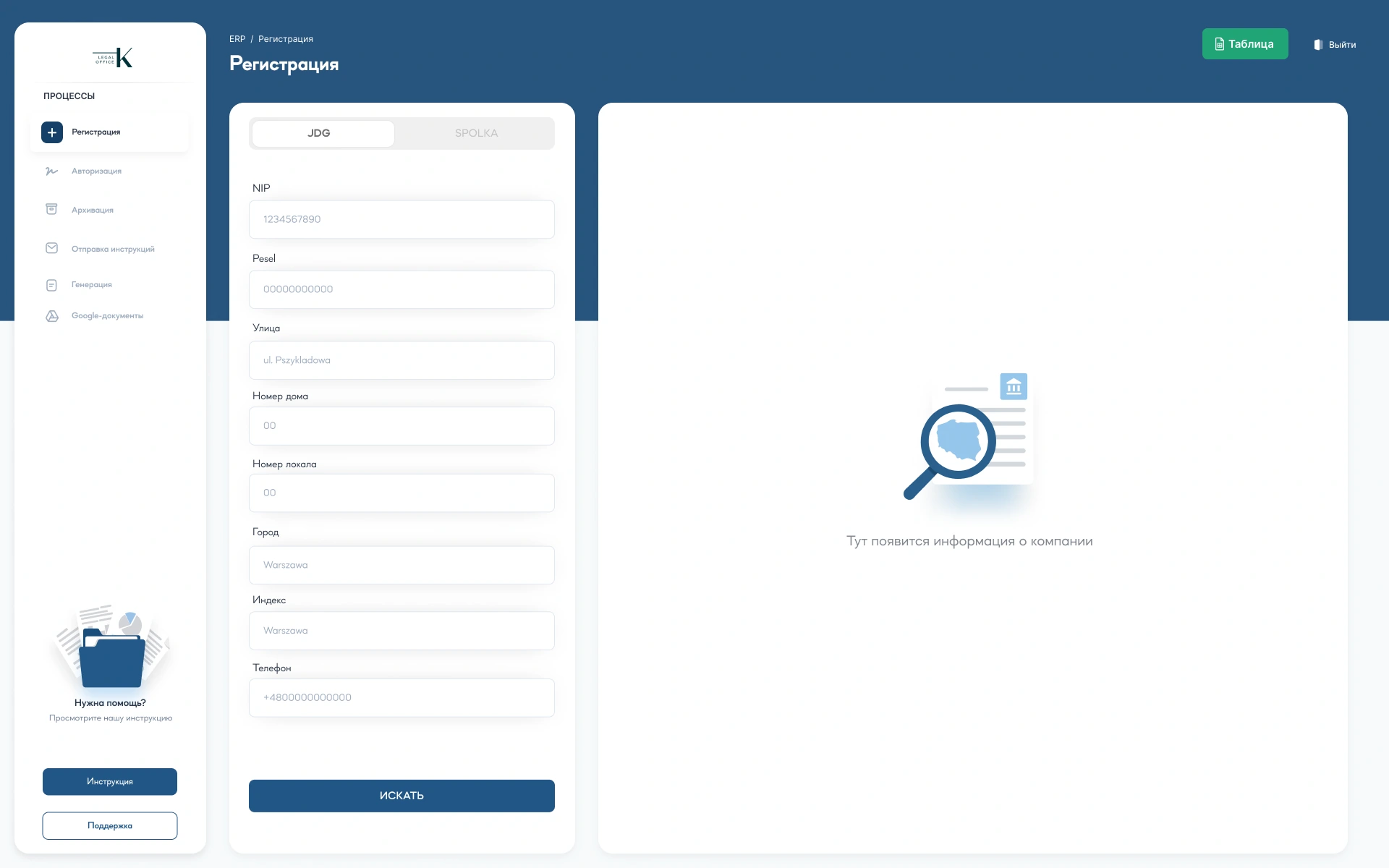
How automation works
From the first call to a working workflow usually takes from 7 days.
- 1
Process audit
We find where your team loses hours and work out what automating each step would give you.
- 2
Build and test
We build the workflows, test them on your data and show you the result before launch.
- 3
Launch and support
We train the team, watch the workflows and improve them as you grow.
- Timeline
- from 7 days
- A full process takes two to four weeks
- Price
- from $300
- Process audit from $250
- From you
- one call
- Plus access to the services we connect
We set up the service accounts in your company’s name. The workflows and access stay with you.
What we connect
Website, email, messengers, spreadsheets, CRM, accounting and payments. If a service has an API, we can connect it.
Browse all integrations





How much automation costs
The price depends on how many systems and steps the workflow has. We give an exact figure after the audit.
Start
- Company process auditfrom $250
- Simple automation in n8n/Make/Zapierfrom $300
- Auto-notifications in Telegramfrom $350
- Auto-notifications via Emailfrom $350
- Auto-notifications in Slack/Discordfrom $390
Connections
- Website leads to spreadsheet/CRMfrom $490
- Google Sheets/Drive/Gmail automationfrom $690
- Google Calendar automationfrom $690
- Document generation from templatefrom $790
- AI email/reply/text generationfrom $790
Full setup
- Auto-posting / content pipelinefrom $890
- Data parser / website monitoringfrom $990
- E-commerce order automationfrom $1,200
- Mini-dashboard with reportsfrom $1,200
- End-to-end business process automationfrom $1,800
You pay for n8n, Make or Zapier directly to the vendor. Support after launch from $90/mo.
Build an estimate in the calculatorFrequently asked questions
Didn't find your answer?
Let’s see what you can automate
Tell us which routine takes up most of your team’s time. We will go through one process and estimate how many hours it would free up.