One secured access point
All documents and operations go through a single service account, so access is centralised and nothing is scattered across personal mailboxes.



One bot the firm's administrators use to onboard clients, assemble the entire document package and keep track of deadlines, instead of a dozen manual steps across different services.
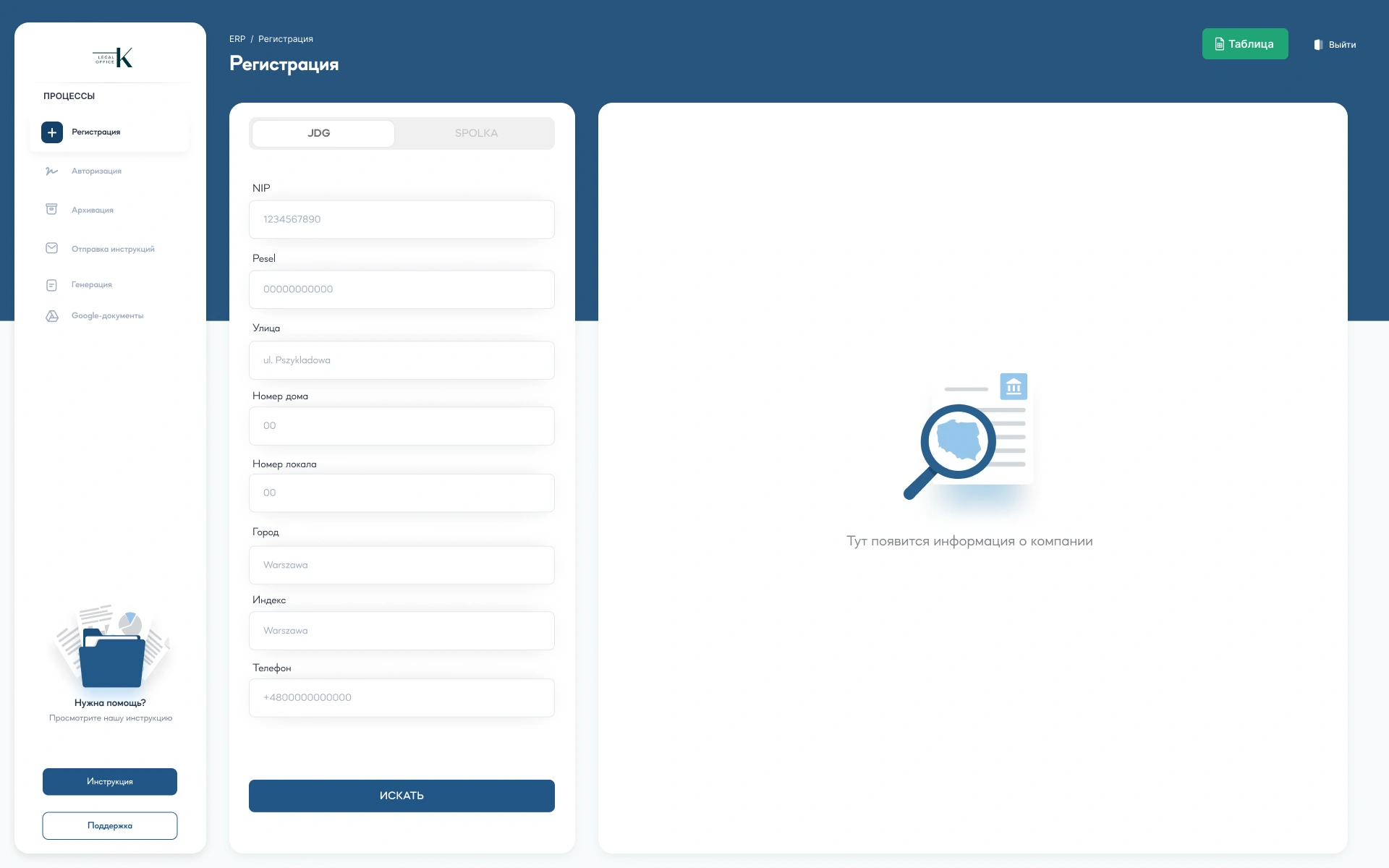
A dozen documents per client were filled in manually. It was slow, and a single typo in the details meant redoing the whole package.
The task was to build a system that takes on the routine (onboarding, documents, folders and deadlines) and gives the team back to client work, without hiring more administrators.
Set a client up completely in minutes: the record, the documents, the folders and the letter are created automatically from a single form.
Ready templates for every client type, with details filled in automatically, so discrepancies and typos are ruled out at the entrance.
Statuses, folders and reminders are kept by the bot rather than by an employee's memory, so nothing is lost and nothing is done twice.
The administrator works entirely from one window, with no jumping between services and spreadsheets.
KLO Botonboarding a clientThe administrator picks the client type, the bot pulls the data, prepares the right document package and sets the client up completely in minutes.
 ContractPower of attorneyTax formApplicationClient formConsentContractPower of attorneyTax formApplicationClient formConsentApplicationClient formConsentContractPower of attorneyTax formApplicationClient formConsentContractPower of attorneyTax form
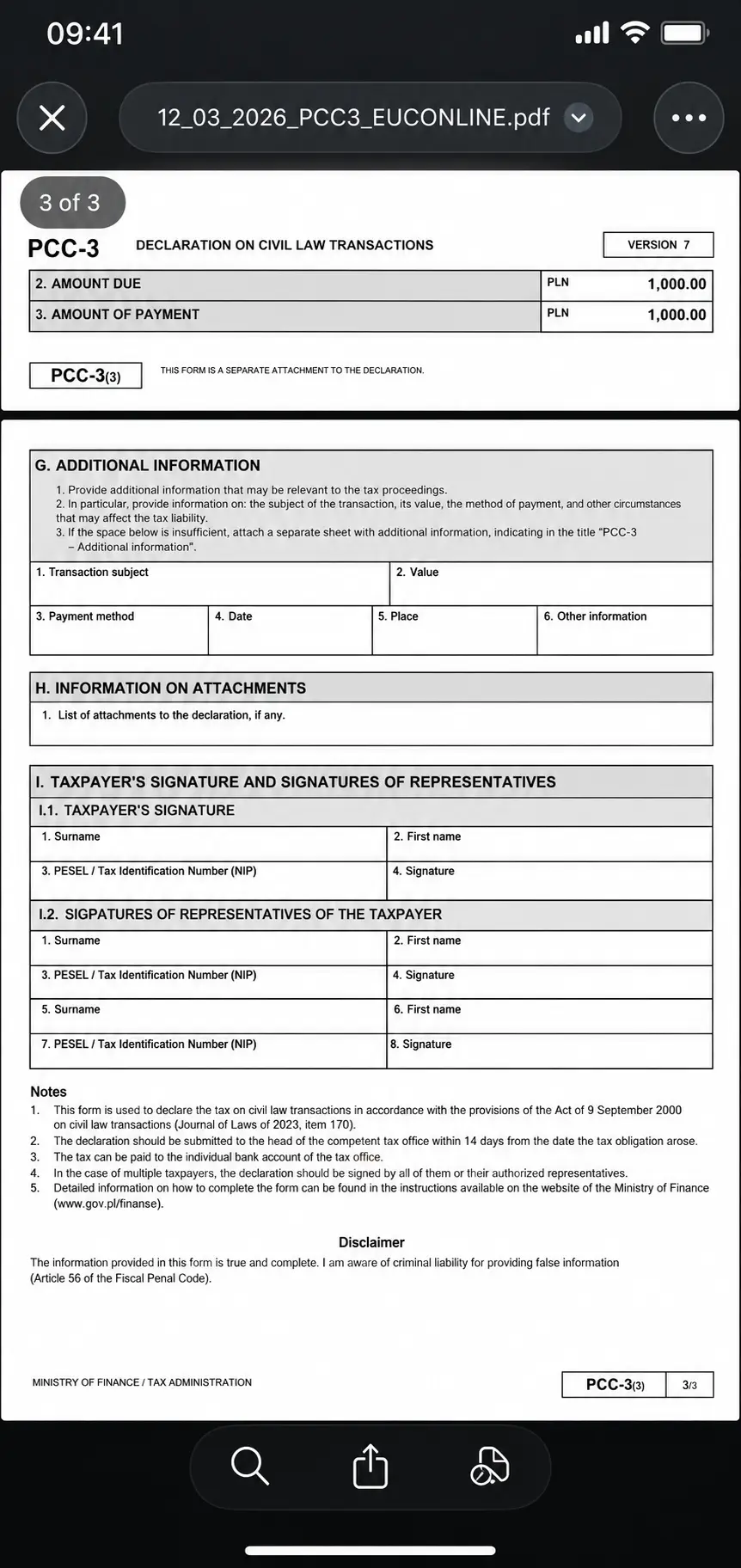
Contracts, powers of attorney, tax forms and applications: the entire package is assembled from shared templates with the client's data, and some forms the bot fills in directly on government portals.
Each client gets a folder with subfolders by document type, and files are filed in the right place automatically.
 Gmailinstrukcja.pdf+13 plików
A ready instruction matched to the client type and language goes to the client by email together with the documents, with no letter written by hand.
 September 2026ZUS: emails sent
Reminder emails reach clients on the right dates from ready templates, with nothing typed out each time.
When the work is done the case moves to the archive and the client status updates itself: in progress, sent, archived.
The administrator picks the client type, the bot pulls the data, prepares the document package, creates the client folder and sends the welcome instruction in the client's language. What used to take two hours is ready before the client finishes their coffee.
Contracts, powers of attorney, tax forms, applications: dozens of documents are assembled from shared templates with the client's data. Some forms the bot fills in directly on government portals. Zero typos, zero redoing.
A ready instruction is assembled for the client type and language and goes to the client by email together with the documents. The client immediately knows what to do next.
Reminder emails about payments and reporting reach clients on the right dates from ready templates. Nobody keeps deadlines in their head or writes them out by hand.
When the work is finished the bot collects the client's documents into the archive, stops the reminders and updates the status, with no manual tidying of spreadsheets and folders.
A law firm works with sensitive data: company details, contracts, tax information. Access and storage are built so that this data neither leaks nor gets lost.
All documents and operations go through a single service account, so access is centralised and nothing is scattered across personal mailboxes.
Only employees on the access list can use the bot. An outsider cannot get in or see client data.
Client documents never leave the secured storage, and letters to clients carry no links to internal systems.
Every action on a case is recorded: who created, changed or sent a document. Transparent in case of an audit or a dispute.
From setting a client up to archiving the case, the whole administration is automated. The lawyers went back to their clients, and hours of routine turned into minutes.
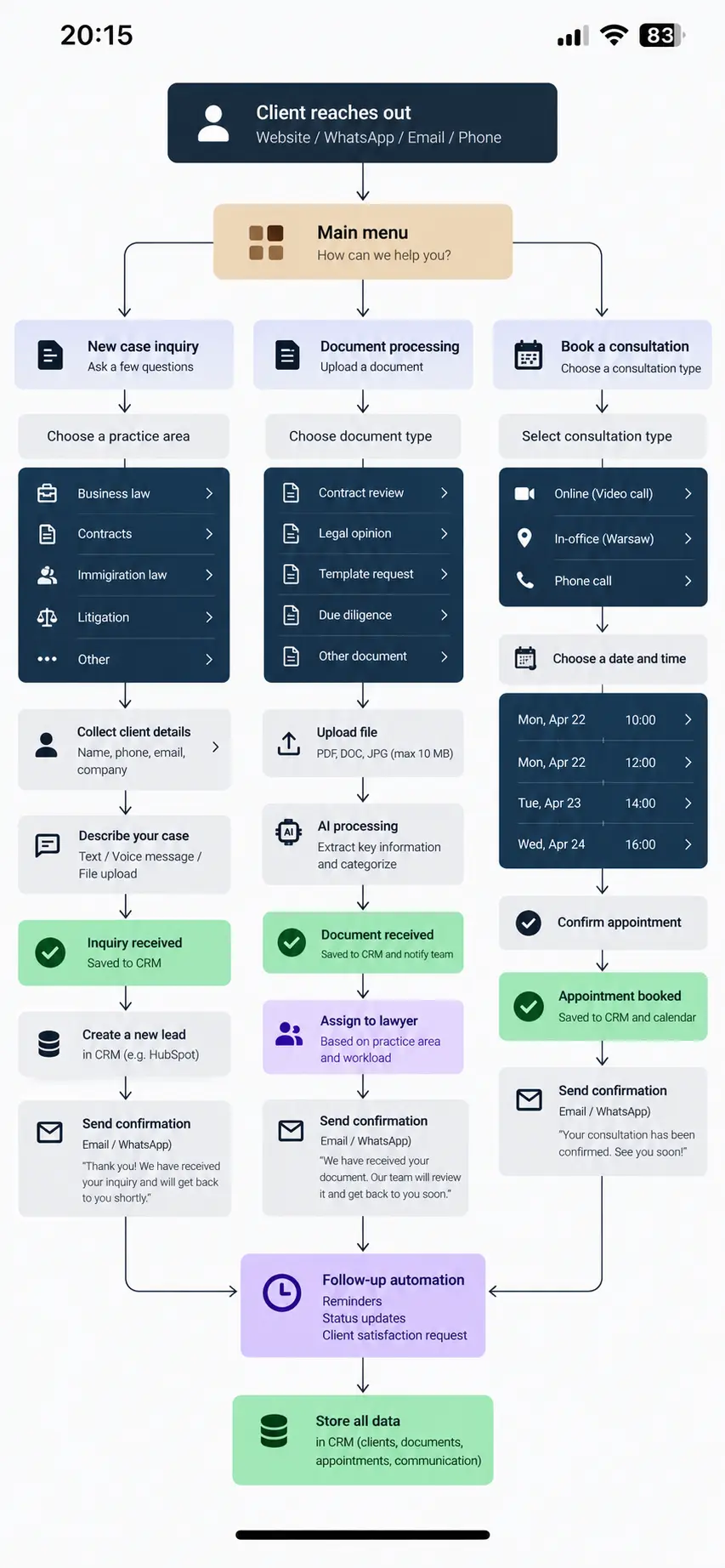
We took apart how a client is set up today: which documents are filled in by hand, where the data lives and where the time goes.
We assembled the document templates and a single client form that feeds every detail into them, the foundation for generating documents without mistakes.
Automatic assembly of contracts, powers of attorney and tax forms, filling in forms on government portals and creating the client folder structure.
Multilingual instructions for clients, deadline reminders and automatic archiving with statuses.
Onboarding through the bot in production: two hours of routine per client turned into minutes.

The single interface the administrator starts every process from.

Client CRM and accounting: the whole database in spreadsheets, with statuses updating automatically.

A folder per client with documents sorted into subfolders, all in one place.

Instructions and reminders go out to clients straight from the process.

The engine that ties every step into one automatic process.

Automatic filling of official forms on the government portal.

Pulling company data from the state register.

Let’s talk through your case and show how the assistant comes together for your sales.